Features
The UI library contains some components that you can use to enable hey circle functionalities in your e-commerce application. These can be configured/enabled when instantiating the class.
Mandatory Reusable Shipping
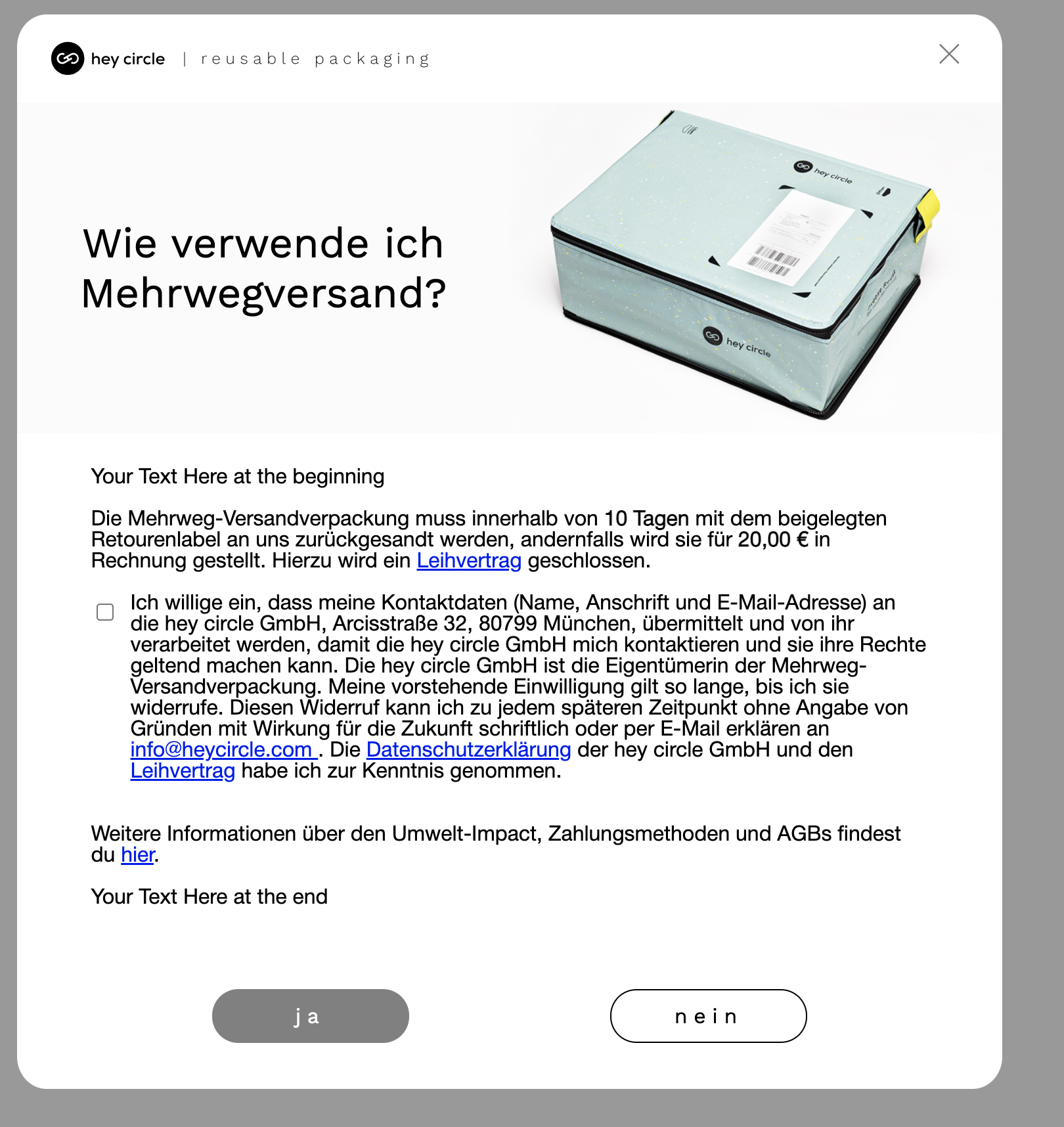
Enabling the mandatory reusable shipping feature will make the reusable shipping mandatory for the customer. When the customer tries to navigate to checkout she will be prompted with an active choice popup to choose the reusable shipping option if the hey circle box is not in the cart. The flow continues as usual if the customer chooses the reusable shipping option. The flow interrupts if the customer chooses not to use the reusable shipping option.
The Mandatory Reusable Shipping component has the following properties:
mandatory: If the hc reusable shipping is mandatory
const heyCircleUI = new HeyCircleUI((checked: boolean) => {}, {
    ...
    mandatory: true,
    ...
}
Active Choice Popup
You can configure the active choice popup to trigger on certain URLs, like /checkout and/or /cart. The active choice popup will be displayed to the customer when the hey circle box is not in the cart.
activeChoiceUrls: The URLs where the active choice popup will be trigger e.g. ["/checkout", "/?cart", "/cart"]activeChoiceOnCheckout: Active choice popup trigger enabled on
const heyCircleUI = new HeyCircleUI((checked: boolean) => {}, {
    ...
    activeChoiceUrls: ["/checkout", "/?cart", "/cart"],
    activeChoiceOnCheckout: true,
    ...
}
Text Overrides
You can partly override the text that is displayed in the active choice popup. The textOverrides option has the following properties:
prefix: The prefix for the checkbox choice popup textsuffix: The suffix for the active choice popup text
const heyCircleUI = new HeyCircleUI((checked: boolean) => {}, {
    ...
      textOverrides: {
        prefix: 'Your Text Here at the beginning',
        suffix: 'Your Text Here at the end',
      },
    ...
}
Example